Corporate tax management

Set up each company once. Keep its tax record current.

TaxDesk keeps filings, payments, CRA records, ownership, documents, and tax history together as your group changes.

For Canadian businesses, corporate groups, and their advisors.
app.taxdesk.ca
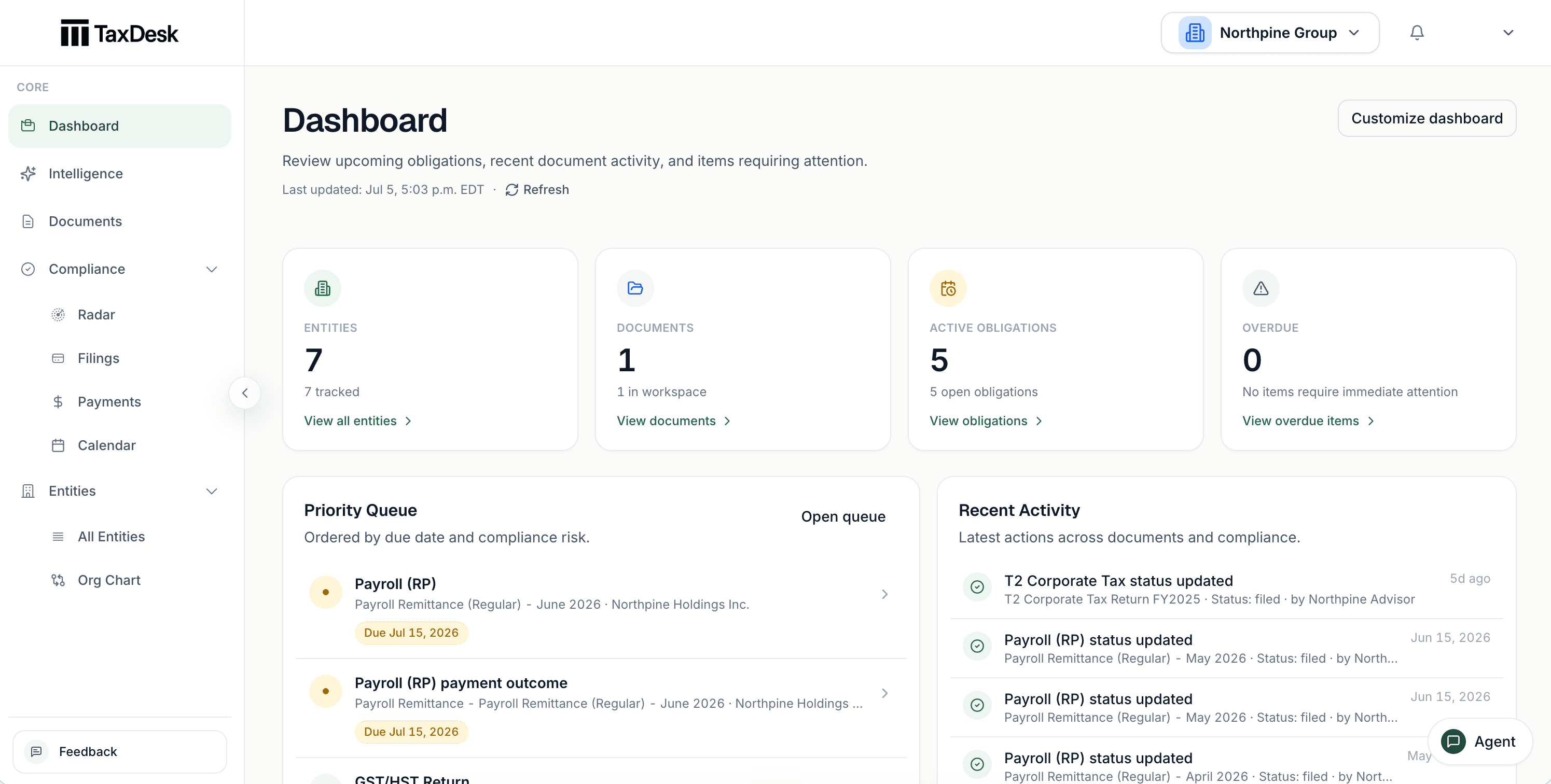
TaxDesk dashboard showing entities, documents, active obligations, overdue work, a priority queue, and recent activity for a Canadian corporate group.
See the entities, obligations, documents, and recent work that need attention across the workspace.

Document intelligence

See what needs attention. See why.

Upload returns, CRA notices, agreements, and working papers. TaxDesk can propose facts from these documents. Your team reviews each proposal before it changes the record.
  • See the entity, tax year, and source document during review
  • Accept or reject each proposed change
  • Keep the source document linked to each approved fact
app.taxdesk.ca
TaxDesk document intelligence showing proposed facts alongside their source evidence.
Review the proposed fact and its source before you update the entity record.

Obligation control

Set it up once. Know what’s due next.

Enter each entity's tax programs and filing settings. TaxDesk uses these settings to create filing and payment tasks with due dates. TaxDesk does not file returns or connect to CRA portals.
  • Support for corporate income tax, GST/HST, payroll, trusts, and other tax programs
  • A due date, status, history, and supporting evidence for each obligation
  • Calendar, upcoming, and overdue views for all entities
app.taxdesk.ca
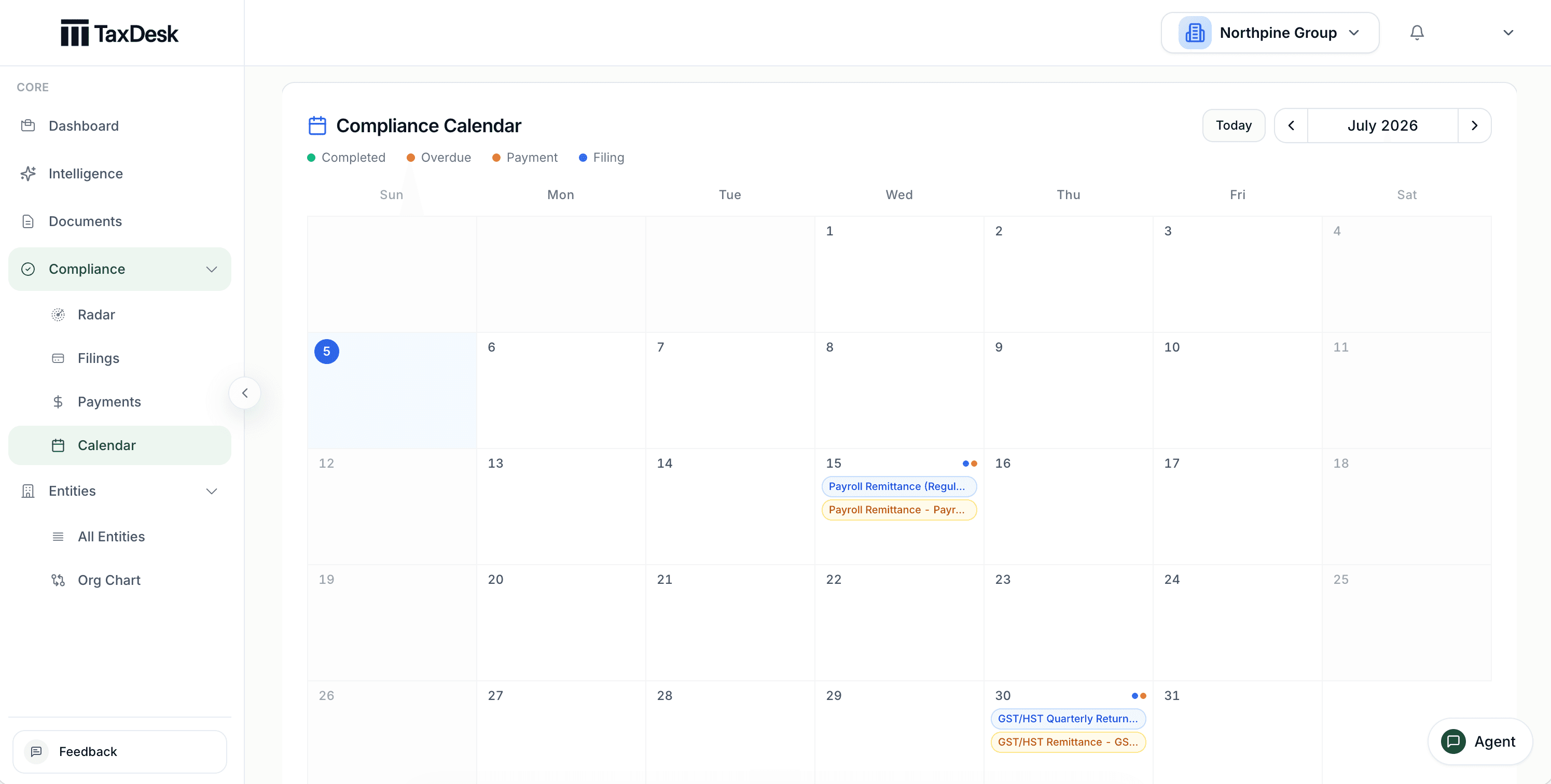
TaxDesk compliance calendar showing filing and payment obligations across a Canadian corporate group.
See upcoming and overdue work across all entities. Open any item to review its details and history.

The entity workspace

Keep a complete record for each entity.

Keep the entity profile, tax programs, obligations, documents, ownership, governance, and tax balances in one place. Your team can find the current information without checking separate spreadsheets and folders.
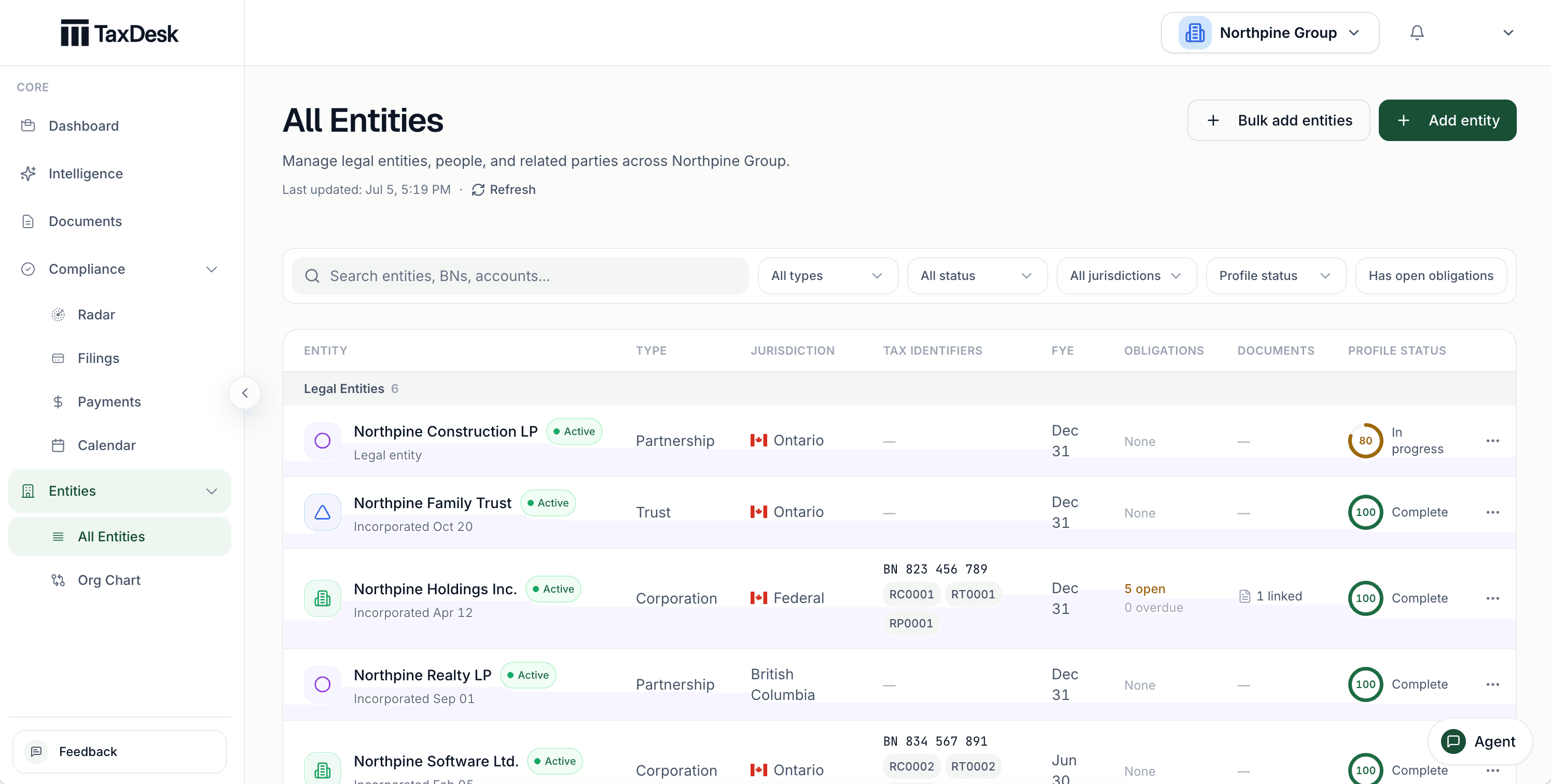
app.taxdesk.ca
TaxDesk entity list showing corporations, trusts, and partnerships with tax-program registrations, obligations, documents, and profile status.
Review every entity, its tax identifiers, open obligations, linked documents, and missing profile information.
01

Add the entity.

Record the entity type, jurisdiction, fiscal year-end, identifiers, and status.

02

See what’s due and what’s up next.

Record corporate income tax, GST/HST, payroll, and other program settings.

03

Keep the source with the work.

Keep documents with the entity, period, obligation, and record they support.

04

Review what changed.

Review proposed facts, status history, ownership changes, and tax balance entries.

Tax attributes and ownership

Track tax balances and ownership changes.

Record each change to a tax balance as a dated entry. Record equity transactions that affect current ownership. TaxDesk keeps the history with the entity for later review.
app.taxdesk.ca
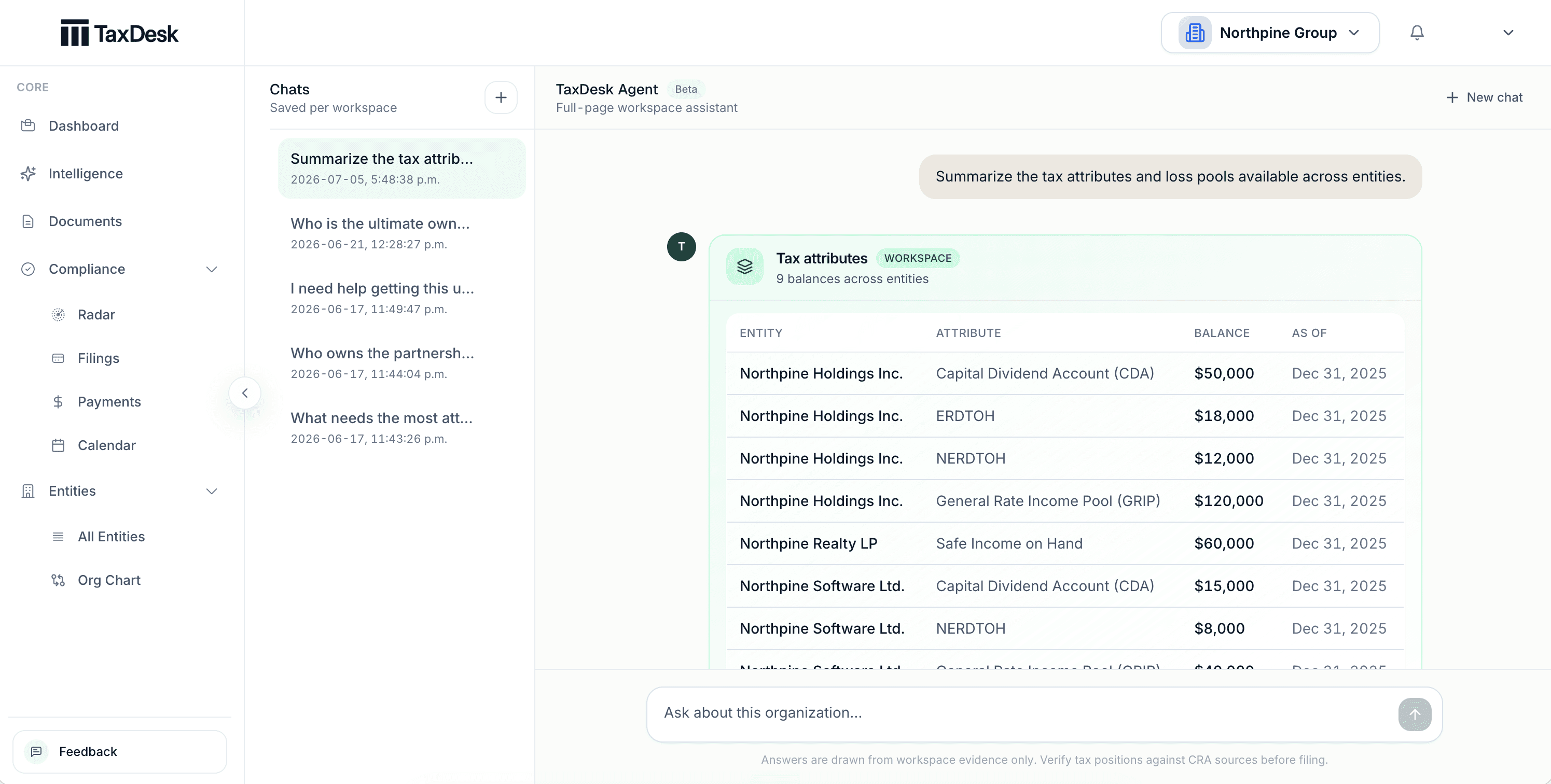
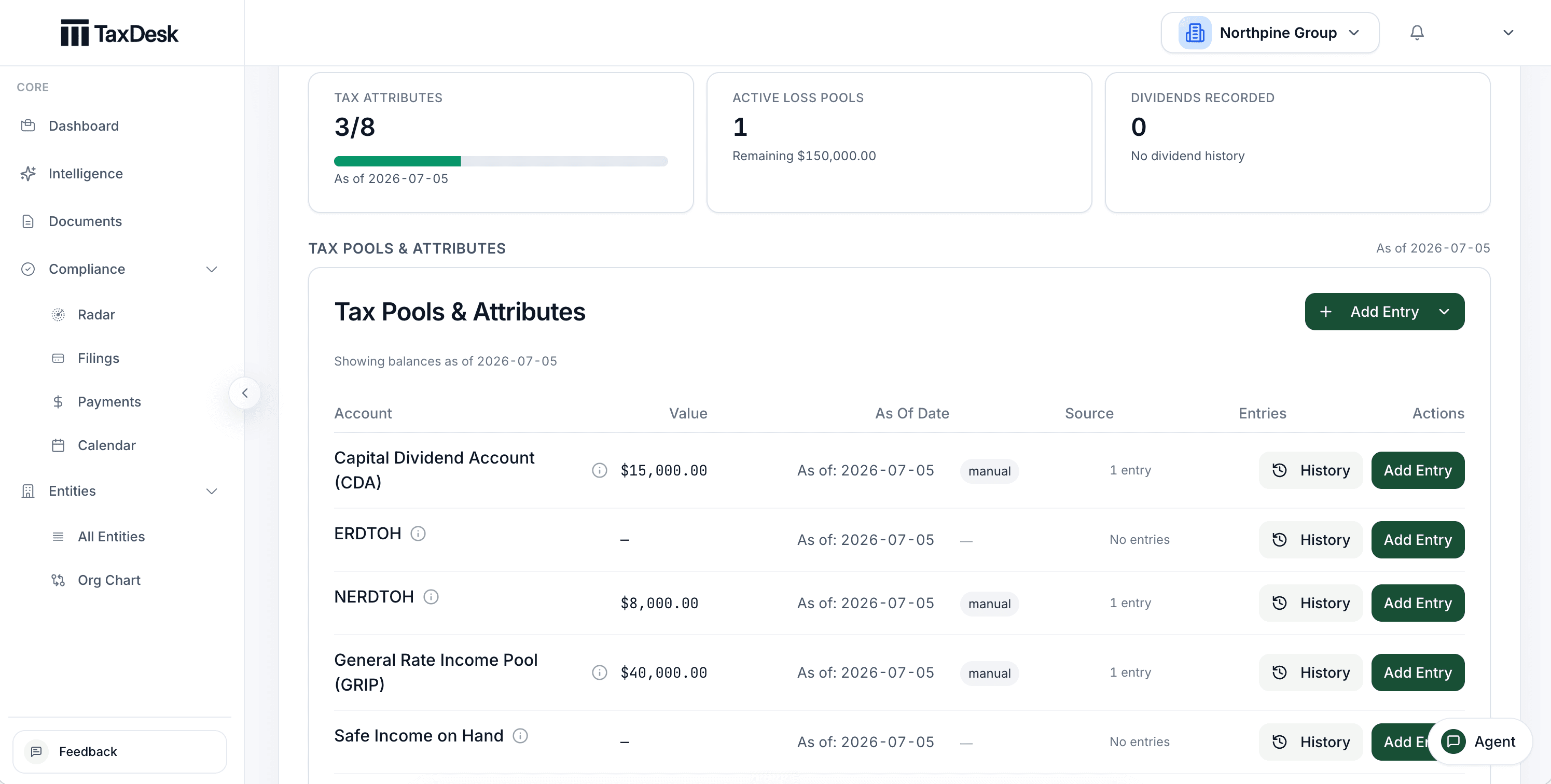
TaxDesk tax attributes ledger showing CDA, ERDTOH, NERDTOH, GRIP, and safe income balances with as-of dates.
See the current CDA, ERDTOH, NERDTOH, GRIP, safe income, and loss balances. Review the dated entries behind each balance.
app.taxdesk.ca
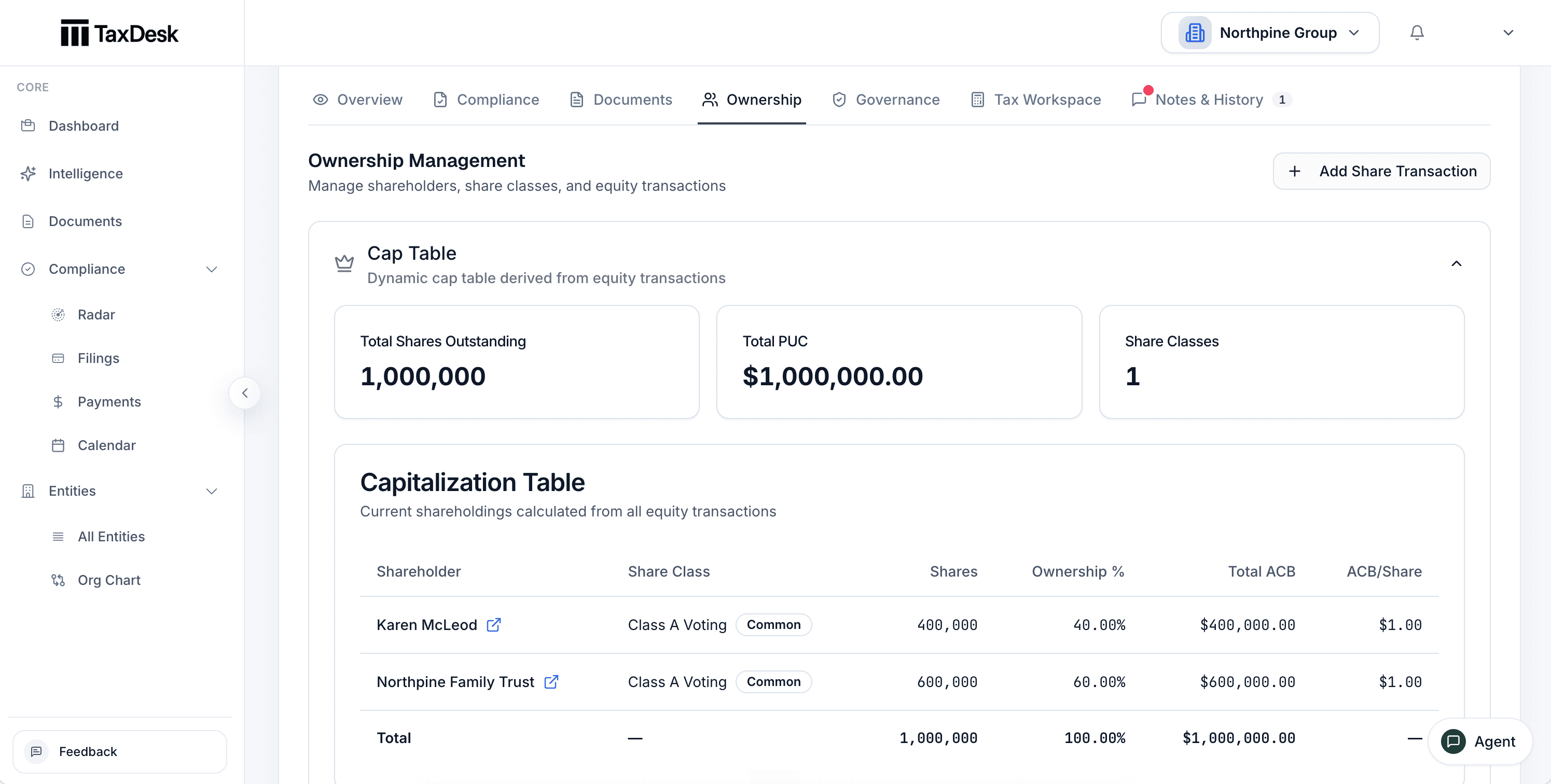
TaxDesk ownership view showing share classes, shareholders, ownership percentages, PUC, and ACB.
See share classes, shareholders, ownership percentages, PUC, and ACB from recorded equity transactions.
app.taxdesk.ca
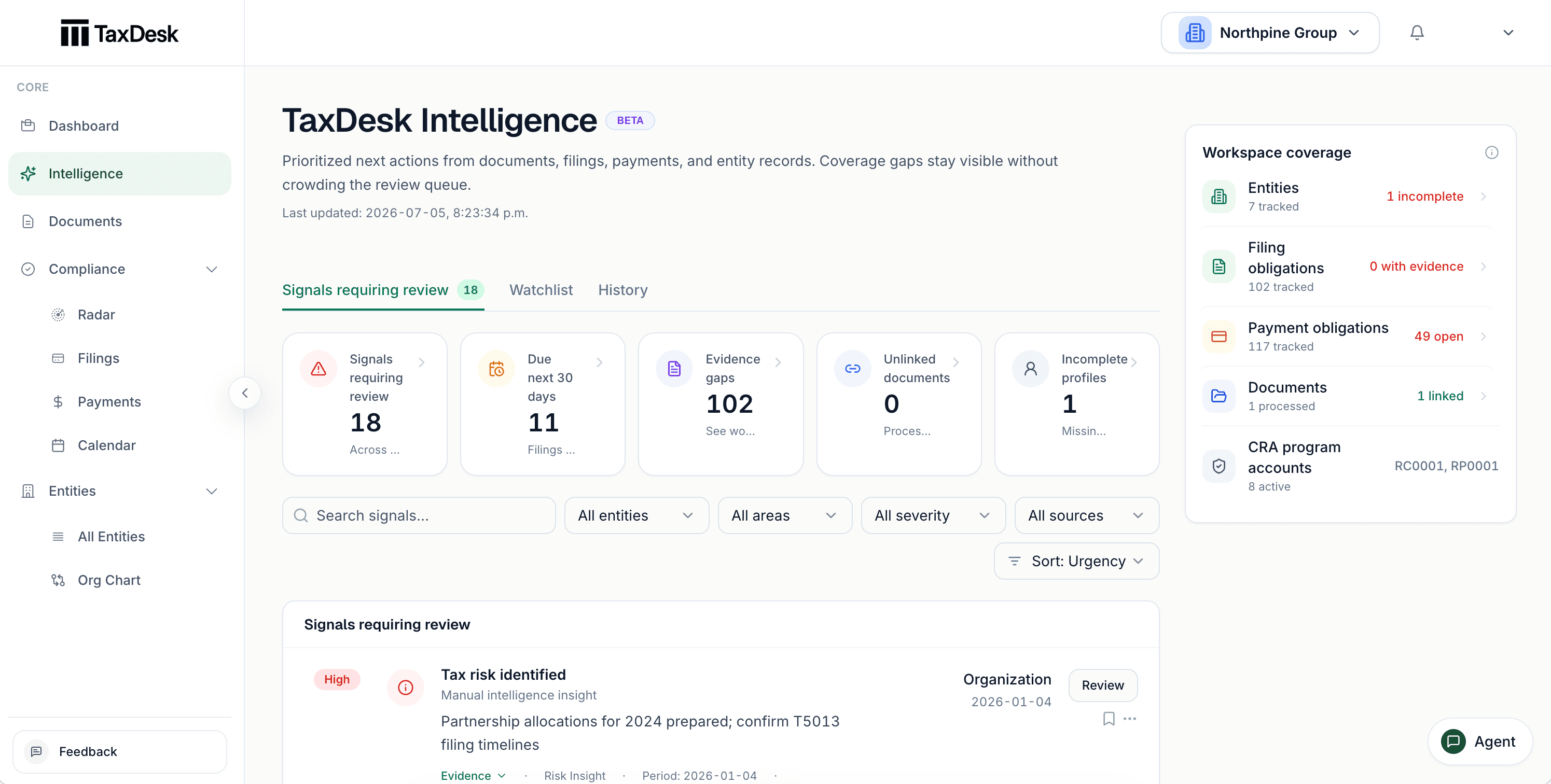
TaxDesk Intelligence showing workspace coverage, upcoming work, evidence gaps, and items requiring review.
Review priorities and missing information. Open the records that support each result.

TaxDesk Intelligence

Review what changed.

TaxDesk Intelligence reviews the information in your workspace. It shows priorities, missing evidence, and records that may need review. Its answers link back to the records that support them.

  • Review current priorities in one weekly view
  • See missing information and evidence gaps
  • Review proposed changes before tax facts change

One record by design

Use the same information for every part of the work.

01

Manage entity records

  • Create records for corporations, trusts, partnerships, and individuals
  • Record tax programs and fiscal settings
  • Track ownership and governance roles
  • Connect documents to entities and tax years
02

Track tax obligations

  • Create filing and payment tasks with due dates
  • See upcoming and overdue work in the calendar
  • Record status changes and supporting evidence
  • Review work across all entities
03

Review documents and records

  • Review proposed facts from uploaded documents
  • See weekly priorities and records that need review
  • Ask questions about information in the workspace
  • See the records that support each answer

Get started

Give your team one place to manage tax work.

Add the entities you manage. Configure their tax programs. Then track obligations, documents, ownership, and tax balances in one shared record.